AJP3 – Free Hi-Res Samples

February 27th, 2011 Leave a comment Go to comments
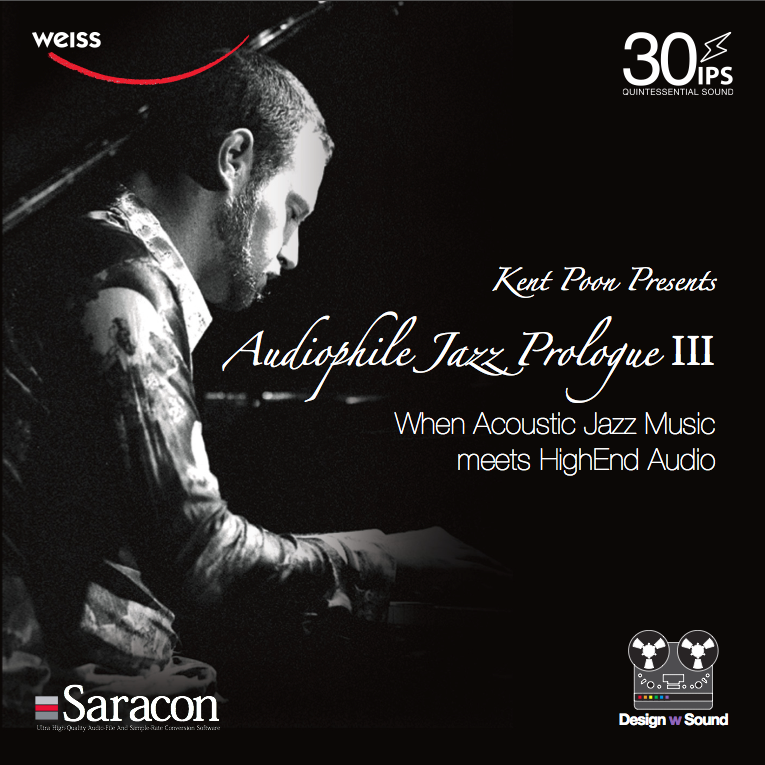
Audiophile Jazz Prologue – Part 03 free samples in high resolution format. We picked Track 06 – “Lush Life” because it is an unique female vocal solo introduction, then follow with acoustic guitar / double bass arrangement. The master files* are either hires PCM wav files or DSD (DIFF) file.

DEC.11-2008: We have added another free sample for our registered user to download. This is Track 04 – “Freddie” instrumental song. The jamming trumpet, piano and sax is first time presents in 24bit96kHz and 24bit192kHz master files.


PCM Wordlength: 24Bit
Sample Rate
: 96kHz (200.5MB) /192kHz (300.7MB)
DXD: 384kHz (601.4MB)
DSD**
: 1Bit/2.82Mhz (184.2MB)

You may also notice that we updated all files on the free sample server. The new files are in AIFF format with embedded album art. You can just drag these files to iTunes or other software player, the album art and other song info will be included.

Note: You will need to register and login to see the link and password. Free Registeration

*** The Free Registration will only need your email / user, it takes less 30sec to finish the whole process ***

Please Login or Register to read the rest of this content.

All Rights Reserved. We would like to introduce more people to this website and register as for more latest info. Please DO NOT post our HirRes Sample link and password in any other forums/website, but welcome add link to this page. Thank you for respecting music and copyright.

*You will need a soundcard that supports each sampling rate. For our production and monitoring, we entirely use Weiss Engineering firewire based AFI1,DAC2 and Minerva. **DSD file can be played via DSD hard disk player such as Kong/Tascam/Genex/Pyramix/Sadie/Sony Sonic Station/Sonoma etc.

Comments from Kong DSD Recorder Designers: Mr. Koji Oishi:

I’m Koji Oishi. I’m an engineer at Korg, a manufacturer of musical instruments and digital recorders based in Japan, and I’ve developed three DSD recorders (MR-1/1000/2000S) and a DSD software application called AudioGate so far.
http://www.korg.com/Products.aspx?ct=97
I’ve just downloaded 3 DSD files from your Free Hi-Res Samples page,
http://www.designwsound.com/dwsblog/?page_id=318
and played them back with our MR-2000S DSD recorder. I need to say that the sound quality is amazing! Very clear and smooth, but the warmth of analog sound is still there..

Thanks Mr. Oishi! Your DSD recorders amazingly popular in our audiophile circle.


  1. avreality
    September 9th, 2008 at 12:25 | #1

    Dear Kent,

    I’ve download the sampler (24bit 96kHz WAV) to my iMac but the iTune cannot recognize it. Did I need to convert it to other format first?

    Best regards

  2. September 9th, 2008 at 12:57 | #2

    Dear avreality,
    No you don’t need to convert it to anything. I just made a test on with my powerbook, downloaded the file, double click on it, it will copy to your itunes folder.

    If you have selected to show the bit rate, it is 6144kpbs.

  3. Hercules
    September 14th, 2008 at 14:17 | #3

    If my DVD authoring software can’t support 24-bit floating point, can you place the normal 24-bit file /96 kHz version as well?

  4. September 14th, 2008 at 19:14 | #4

    Yes indeed. The original 96kHz file was actually 32bit floating point rather than 24bit, because I was still making very small adjustments. The newly uploaded files are all based on 24bit now.

  5. musicalsound
    November 13th, 2008 at 23:14 | #5

    Kent,

    I must congratulate you on this new album – well, I have only heard one song from the free download. I’ve just purchased a Korg MR-1000 http://ww.korg.com/gear/info.asp?a_prod_no=MR1000&category_id=3 and downloaded the DSD version of Lush Life from your free download.

    It is one of the best sounding and most beautiful recording I’ve ever heard! I can imagine being there at your studio listening to the live recording session! Wow! I can’t imagine what the DXD version would be like but then getting equipment for DXD playback would be very expensive.

    Looking forward to purchasing this new album. It will be available as DSD/DXD download as well right?

    Great Stuff!

    Brian

  6. November 14th, 2008 at 02:17 | #6

    Brian, thanks so much for your comments and support! I wish more people can know about it. The high resolution format, even just the 24/96 is very high fidelity and supreme in quality. We cannot find other media to provide this quality for our customer. With computer technology, you can just download it. More importantly, you have the clone file of our master source. Simple and straight forward.

    We are treating this special Limited Edition customer as a licensee. Each customer can register their copies online, email or fax. After registration, we will provide after sales support and service, FREE of CHARGE.

    That’s mean even our LE version will contain a Premium Made CD-R with CD disc measurement report and a data DVD with 24/96 & 29/192 audio Wave files, once you becomes our registered member, we will provide DXD and DSD version for you if you wish, again this service will be free of charge. You just need to be sure you are capable to playback the files.

    Because of this special concept, and the very rare Premium Made CD-R, we can only provide 1250pc.
    We are still producing the Premium Made CD-R at the moment as it is Extremely time consuming.
    We target to release on street in December.

    Edited Dec 19: The official release will be during CES 2009.

  7. musicalsound
    November 14th, 2008 at 20:27 | #7

    Kent,

    What equipment is being used to record in DXD? What is the easiest way to playback DXD files?

    Are we talking about Merging Sphynx2 http://www.merging.com/2002/html/sphynx2.htm or DAD’s AX24 http://www.digitalaudio.dk/ax24.htm here?

    Brian

  8. November 15th, 2008 at 20:08 | #8

    We have used the dCS for some of the DXD recording. We have also transfer some of our DSD master back to 24bit/384kHz for DXD. What we want is to provide all formats that our customer wants, but from our standpoint even the 24/96 can fully represent the resolution that audiophile dreams about. Above 24/96, it is about own taste and no actually winner when you compare 24/96, 192, 384 and DXD. They are represents the recording in slightly different way. It also relates to how each customer playback setup/equipment match for different results.

  9. kk
    December 11th, 2008 at 20:58 | #9

    Cannot download, it seems that I have deleted the .wav file.

  10. December 12th, 2008 at 11:15 | #10

    kk, the WAV files are now replaced by AIFF files, because we have embedded the album art and info on each file. Let me know what can I assist you.

  11. December 23rd, 2008 at 23:22 | #11

    I just downloaded and listened to the track “Freddie”, sound stage is wide and deep, imaging is excellent, musical and very smooth. When all these add together…: Analogue sound!!! Even my wife thinks the track sounds good (she seldom comments on any song that I play)!

    • December 24th, 2008 at 11:40 | #12

      appleteapot, thank you so much for your good comments! We hope more people can take a chance to listen our high resolution music files. The music itself is enjoyable too.

  12. vitality2002
    December 29th, 2008 at 01:58 | #13

    Is it possible to get the WAV files? I am using MediaMonkey on XP and it does not support AIFF.

  13. joeljoel1947
    January 5th, 2009 at 11:10 | #15

    Can’t download anything. Is this for MAC only? I enter your password and user name and can not get futher. It has options to “upload” but not “download”…..

  14. January 5th, 2009 at 11:22 | #16

    Hello joeljoel1947. The download is for both PC and Mac. As you can see the options to “upload” that means you have reached the panel. You can click on the folder, will show you all files in different resolution. On the far right column, you will then see the download button.
    Hope this help.

  15. joeljoel1947
    January 6th, 2009 at 03:05 | #17

    Thanks, I’ll try that out. I am going to CES and see you guys might be there? Will you have things available for sale like the Jazz Prologe master wav file DVD data disc? Where will you be at CES? THE Show?

  16. 2009b
    January 18th, 2009 at 11:53 | #18

    Hello, DWS. I have bought your Jazz CDR/DVD of serial no. 0800. Unfortunately, I realised my cheapy Cambridge DAC Magic can’t retreive the HiRez files in 96 or 192khz format (incoming signal lamp at 48khz only). Really hope that the DAC2 can be kept at the very first introductory price until we attend your course. BTW, it is a process of changing our habit – put the money on computer and DAC playing HiRez rather than SACD/CD gears playing 16bit/44.1khz.

  17. soldatt
    January 25th, 2009 at 01:42 | #19

    Hello !
    Thank you for the samples. But all I was able to find in the directory is only AIFF’s.
    I do not see the DSD samples… date stamped 01 23 2009…
    What has changed?
    Thank you!!!

    • January 28th, 2009 at 16:00 | #20

      Hello soldatt, Yes we did brought down the DSD samples. You want to try those?

  18. dasaltegeek
    January 25th, 2009 at 06:19 | #21

    Beautiful recordings as always. A minor correction on Paul McGowan’s retorhic?

    I own The Memory Player since 2005. It plays these files stunningly well. I see no “first” as PS Audio claims as I have been playing DAD and HD-DAD from The Music.com for years on this machine. That’s 24-96 and 24-192 respectively.

    A little truth in advertising might serve this hype laden industry. PS is of course, all promo but I’d expect better from KJ.

    Regardless thank you for these files and they are stupendous as advertized.

    The Old Geek,
    Las Vegas

    • January 28th, 2009 at 15:59 | #22

      Hello Las Vegas, or LAaudio Guy =)
      Thanks for your comment. Would you tell us more about your Memory Player?
      What great thing that Paul McGowan PS Audio Memory Player, it can playback file based DVD-DATA disc. That means if you have 10 WAV files stores on a DVD, it can play them back directly from reading the file. DAD and HD-DAD are authorized DVD using DVD-Video/DVD-Audio spec. That is a bit different.

      Keith Johnson HRx is not based on DVD-V or DVD-A spec. but rather more straight forward to have the original master WAV/AIFF files on a DVD-DATA disc.

  19. Aubrey
    January 29th, 2009 at 21:05 | #23

    loved the recordings, but when comparing with other similar hi end recordings from say RR or Opus, I do not find the huge difference. Yes it is flatter and somehow a bit more alive, but not overwhelmingly so, as I had anticipated.

    Is this because I am using Itunes? The output of itunes (Mac book) to my DAC is 44.1, though it plays the (originaly) 96Khz files fine?

    Any way to get 96 output from Macbook/itunes? Would it be better if I downloaded the 44.1 file? Of vourse I will do that anyway now….

    best regards

    Aubrey

    • January 29th, 2009 at 21:27 | #24

      Thanks for your comment Aubrey. RR and Opus3 are two of the highest quality level recording on my book, I am surprised and thrilled to be with them.

      What kind of connection between your Macbook and DAC? If you are connecting your DAC in 44.1kHz, even you play the 96kHz files, the iTunes internal sample rate converter will convert it back to 44.1. This is not good. You should really try full 24/96 connection.

  20. Aubrey
    January 30th, 2009 at 01:01 | #25

    How?

    I use the optical out on the mac book. My Dac does not have firewire input.

    I have a way of fooling the mac (using a program called Traction) into being reset for 96khz, but I believe that itunes only will output 44.1. Therefore I always felt it was ‘upsampling’ and as you have mentioned somewhere, which I agree with it, I don’t really like the upsampled sound.

    Is there anyway to get itunes to work with natural 96/24?

    best regards

    Aubrey

  21. January 30th, 2009 at 01:12 | #26

    Hello Aubrey

    iTunes is capable to playback 24bit/192kHz file. I think the optical out on macbook support up to 24/96.
    Have you click on Audio MIDI and set the optical output to 96kHz?
    If you DAC can accept optical toslink at 96kHz, it should work.

    Bests,
    Kent

  22. Chung
    February 5th, 2009 at 17:22 | #27

    Hi Kent, have you tried MacBook Pro + Fireface 400 + Berkeley Audio Alpha DAC? How does it compare with MacBook Pro + Weiss Minera?

    • February 5th, 2009 at 17:28 | #28

      Hello Chung, I haven’t personally have such system. But I heard the Berkeley Audio DAC in CES 2009. I think the Weiss DAC2/Minerva + Macbook pro combo is rather simplify and straight forward. You don’t even need to bother of upgrading your digital AES/SPDIF cable. The firewire connection makes the Weiss works in internal Master Clock mode.

  23. February 10th, 2009 at 16:59 | #29

    RobinHood: Submitted on: Jan 7, 2009 @ 20:25 Edit
    Thanks for posting on the Computer Audiophile website, offering your sample track downloads and advancing the state of the art in computer audio. I look forward to listening to your sample tracks.

  24. February 10th, 2009 at 16:59 | #30

    bearheath
    January 12th, 2009 at 12:40 pm
    Kent,
    Great site, thanks for the downloads. Wonderful music and sound quality. Looking forward to more releases.

  25. February 10th, 2009 at 17:00 | #31

    sleepysurf
    January 24th, 2009 at 8:53 pm
    Fantastic site Kent! Your sample tracks are superb, and exactly what I was looking for in order to comparitively listen to Redbook CD vs. 24/96 and 24/192. I’d *REALLY* like to hear *YOUR* opinion on the audible differences between Recbook CD, vs. high-res recordings, vs. vinyl!! A few of us have been debating this over at the Martin Logan club (thread http://www.martinloganowners.com/forum/showthread.php?t=8162), and there have been similar discussions at the Slimdevices Forum and Audiocircle. I think computer-based streaming is clearly the way to go, but am fearful the mass market mp3 mentality might kill it. Sure hope not!

  26. jtexe
    May 23rd, 2009 at 23:04 | #32

    I am using Sony PCM-D50 and cannot play Aiff-files; can any 96/24bits Wav be relaeased? I really would like to have a chance for high quality music. Thanks & best regards! Johnny

  27. jimdoe2you
    June 2nd, 2009 at 04:12 | #34

    Kent,

    Because of the great quality of the samples you allow us to download, I have just placed an order for my copy. I have two questions: First, do you have an estimated delivery time in weeks or days for delivery to Florida, USA? Second, what are your personal recommendations for other audiophile quality discs that are similar to AJP3?

    Thank you so much for creating such spectacular sound engineering!

    Cheers,
    Jim

  28. June 2nd, 2009 at 23:47 | #35

    Hello Jim, Thank you very much for your support. I hope you will like our sound and music. Your disc was sent today by registered mail. It will take about 7 days to reach your location.

    I always think Chesky, Opus 3, Proprius, Reference Recordings, FIM are my mentors.

  29. trijicon
    June 23rd, 2009 at 10:34 | #36

    Hi,

    Just downloaded three sample last night and I am very impressed with them right now by hearing through my LINN MAJIK DS.

    These sample get me now,and drive me to buy one for me but I can not find link to purchase it.Please advice me where I can place an order for AJP3 High-res version(192hz).

  30. rrkradio
    July 13th, 2009 at 02:30 | #38

    Hi,
    just played files 24/192 using my Tascam DV-RA1000HD. Do you think to sell the DSD version (.dff files) ?

    Tnx a lot,
    roby

    PS: music and recordings are GREAT. I’ll buy the aiff 24/192 if not available the dsd… waiting for you….

  31. rrkradio
    July 13th, 2009 at 02:35 | #39

    By the way ….. have you free dsd files to download ? Tnx a lot,

    roby

  32. July 19th, 2009 at 12:31 | #40

    Hello rrkradio,

    Thanks for your support.
    We are adding those DSD free samples back online at the moment. Contact me offline if you would like to get the DSD version. Thank you.

  33. kk
    July 22nd, 2009 at 17:58 | #41

    I have tried all the 3 AIFF versions via itune. Please advise how to play the .dff file? Seems that both itune and Foobar do not work for this format.

  34. July 23rd, 2009 at 02:30 | #42

    Hello kk, the .diff files are DSD files. You will need DSD capable player such as Tascam, Kong, Pyramix, Sadie DSD to open such audio files.

  35. dannyauhs
    July 27th, 2009 at 22:57 | #43

    Dear Kent,
    Do you recall the album “After 6″ back in 2000 when you were the sound engineer. It was this CD I own back then gave me the confidence to buy your Audiophile Jazz Prologue I. Great recordings! I am very impressed by your dedication to digital audio. And thank you for your free download on your part III. Really a masterpiece!
    I have been into the ds family recently (finally), adding Linn Majik ds to my Hi-Fi system.
    After all these years, what’s your view on the future digital stream

    Danny

  36. rickywklau
    September 25th, 2009 at 22:04 | #44

    I entered the username and password for the loading but there is nothing happened. Safari is showing “Loading…”. Please help.

  37. jackysit
    October 8th, 2009 at 15:28 | #45

    04 and 06 already download with thanks, Download 03, 24/192 with error at the last momment. I have try 3 times 24/192 and ine time 24/96, a;so cannot

    • October 8th, 2009 at 16:20 | #46

      hi Jacky, the Mac server may has such problem sometimes, please try again later. thanks.

  38. October 8th, 2009 at 22:35 | #47

    Is it possible to play the DSD files via an SACD player?
    I doubt it as there is no way to write an SACD disc, no even buy the blancs!
    I have a DVD-A/SACD player and I can write to DVD-A on my PC, so which download format would you recommend for the best sound quality?
    I can use AIF, FLAC, MP3, OGG, WAV PCM and WMA including lossless (with no DRM) to import into DVD-A writing programme. This programme can export to WAV, WMA, FLAC, AAC, A52 and MKV, but my DVDplayer is limited to playback WAV only of the lossless file types. It will play variuos compressed auio file types but I’m not wanting any of them unless lossless like good old FLAC.

  39. un user
    November 4th, 2009 at 03:48 | #48

    Hello
    Tried more times and it seem to be all ok but when push to download, it appears logon page, stays one second and dissapear, and it appears once, and then nothing.
    Please help.
    Best regards.

    • November 4th, 2009 at 04:17 | #49

      Hello, I just tried and it should be working. Please try again maybe with other browser and if you still cannot work through, please contact with us again. thanks

  40. un user
    November 4th, 2009 at 06:59 | #50

    SUCCES with firefox.
    Iexplore and opera dont work.
    Thank You, for this great works and recordings.
    Cheers.

    • November 4th, 2009 at 15:54 | #51

      Thank you enjoy our music and production. If you like the album you can buy the whole album from our online page.

  41. peaceman
    December 5th, 2009 at 22:12 | #52

    Hi, thanks for the samples, downloaded the 24/196 versions and a couple of the DSD.dff files to compare, initially played back the AIFF files..wow very smooth and enjoyable, this is thru a P4 based PC using the onboard sound output through some decent cables to an NAD304 and some custom in-walls, the differences are clearly discernable, …these recordings must sound amazing through a high spec CPU and 24/196 capable dac, the DSD sounds very different to the 24/196 not sure which I prefer at this stage…all good fun. BTW am using latest foobar2000 player for playback, I guess there is a purer way of playing the DSD file??..anyhow thanks again.
    ps I also have cplay installed which is a great audio player (from sourceforge.net), it supports WAV, FLAC and .CUE files so would’ve loved to have tryed your downloads in WAV format.

  42. maroon
    January 11th, 2010 at 10:20 | #53

    Thanks for the samples, 24/196 versions

  43. zaveznik
    January 30th, 2010 at 21:46 | #54

    Dear Kent,
    I’ve download the sampler (24bit 96kHz) to my Macmini. I like the music and the production very much. Thank you!
    I’m using: Mac mini/ Itunes/Amarra mini/ USB/ M audio transit/ Wadia 581iSE/ Pass Labs xa100.5/ Wilson Watt Puppy.
    How would be sound with the new Weiss 202 vs my current Wadia 581iSE, any opinion?

    brg from Europe

  44. February 9th, 2010 at 13:49 | #55

    Hello brg,

    Sorry for the late reply and thank you for writing.

    First of all I think you will be noticed that I am the person who takes care the Weiss in whole Asia region, so my comment “should” be biased. However I wish my perspective can still be fair and professional in engineering. Your current setup is top quality except the USB M Audio transit interface. I can only say that Weiss DAC202 is the latest Weiss 2010 design and extremely high performances. We have few Weiss flagship DAC Medea users “upgrading” their Medea to DAC202……

    On the other hand, INT202 will improve quite much from your M-Audio and work with your Wadia 581iSE. I will suggest you either upgrade the INT202 from M-Audio, and listen to DAC202 and compare with your Wadia 581iSE.

    Bests,
    Kent

  45. matthias
    February 13th, 2010 at 20:05 | #56

    admin :
    I can only say that Weiss DAC202 is the latest Weiss 2010 design and extremely high performances. We have few Weiss flagship DAC Medea users “upgrading” their Medea to DAC202……
    Bests,
    Kent

    Kent.

    do you think the DAC202 is superior to the Medea ?

    Kind regards

    matthias

  46. Sigurd Ruschkowski
    February 19th, 2010 at 05:38 | #57

    Dear Kent,
    I tried to find the DXD files but could only find all the other music files.
    Have the DXD files been removed? or can they be found somewhere else?

    Best regards,
    Sigurd

    • February 22nd, 2010 at 16:44 | #58

      Hello Sigurd, the DXD files are removed. Let me dig them out again. What kind of playback chain are you going to use with DXD?

  47. Sigurd Ruschkowski
    February 22nd, 2010 at 21:57 | #59

    Hello Kent,
    please dig them out again. Thanks!

    I am using a Japanese memory card player that can play DXD files. This player is then connected via I2S to a DAC that uses the ESS Sabre32 DA chip.

    Best regards,
    Sigurd
    @admin

  48. cogeanumarius
    February 27th, 2010 at 05:02 | #60

    Could you please try to find those DXD files. Huge thanks

  49. ferenc
    April 25th, 2010 at 04:16 | #61

    Hi Kent,

    any news about the DXD files? It would be nice to let us to download them again.

    • May 3rd, 2010 at 00:36 | #62

      hello ferenc, I cannot dig them out at the moment but will try asap. thanks.

  50. Bunpei
    May 29th, 2010 at 13:44 | #63

    I downloaded three 192 kHz-24 bit files. My impression is that those sounds are very smooth.
    We appreciate your effort for distributing such high quality files.

    Chiaki and I are developing a SDHC memory card-based player kit that is capable of playing DXD files (limited to 352.8 kHz/24 bit . 384 kHz/24 bit is not supported). This project is not commercial one but a DIY audiophile project.
    We ship sample hi-res WAV files in a 4GB SDHC memory card with the kit. We got a special permission from 2L and store those 2L sample files (including DXD files) on the media.
    However, the sources are limited in a category of classical music. Therefore, we’d be very happy if you could give us a permission of including your files on our sampler.
    We realize we are asking a big favor, but would you consider our request?

  51. iandrew
    June 2nd, 2010 at 22:33 | #64

    @Bunpei
    You player sound interesting. If you are able to go all the way to 352.8 kHz why not 384? Even if Kent Poon gives the permission, you’ll have to use the 192 version?

  52. June 3rd, 2010 at 00:28 | #65

    @Bunpei
    Hello Bunpei,

    Of course you are welcome to use these as free samples. They are meant to be free usage and hope people who want to own the whole album will buy one.

  53. Sigurd Ruschkowski
    June 4th, 2010 at 02:05 | #66

    I would like to say that the memeory card player I use, is the one made by Bunpei and Chiaki
    as described by Bunpei above.

    regards
    Sigurd

    @Sigurd Ruschkowski

  54. Bunpei
    June 12th, 2010 at 06:55 | #67

    iandrew :
    @Bunpei If you are able to go all the way to 352.8 kHz why not 384? Even if Kent Poon gives the permission, you’ll have to use the 192 version?

    SDTrans192 uses 8bit MCU of 100 MIPS. Because of its processing performance limit, however, the player can’t handle 384 kHz/ 24 bit WAV files.

  55. Bunpei
    June 12th, 2010 at 07:00 | #68

    admin :
    @Bunpei
    Hello Bunpei,
    Of course you are welcome to use these as free samples. They are meant to be free usage and hope people who want to own the whole album will buy one.

    I’m sorry that I did not reply soon. I’d like to express my gratitude to your generous permission. We will include one of your 192 kHz/ 24 bit files into our sampler memory card with your credit.

  56. cr
    March 6th, 2011 at 19:02 | #69

    can’t get the audio example, as I can’t even login to this mobile me (GRRRR: Apple) account.

  57. admin
    March 7th, 2011 at 10:28 | #70

    @cr
    Since you saw the mobile me, I guess you are already registered here. So just type in the Mobile me password should do.

  58. click2saurabh
    June 15th, 2011 at 17:26 | #71

    Hi,
    I just downloaded Lush Life (.dff). How can i play it with my PS3? Please suggest…
    Regards,

  59. Vijaykishan
    August 17th, 2011 at 03:31 | #72

    Hi Kent,

    The samples are simply Brilliant, thanks. Now to find a store to buy it..in Germany.. any ideas?

  60. stuckinthe70s
    September 20th, 2011 at 00:14 | #73

    looking forward to trying, thanks.

  1. January 27th, 2009 at 23:43 | #1
  2. April 19th, 2009 at 00:44 | #2
  3. December 8th, 2009 at 00:32 | #3

Spam Protection by WP-SpamFree